

- A Discord username for server access
- A corporate company name
- A specialized text input or agreement
Configuring Custom Fields
Custom Fields are configured on a product-by-product basis. When creating or editing a Product, scroll to the Custom Fields section.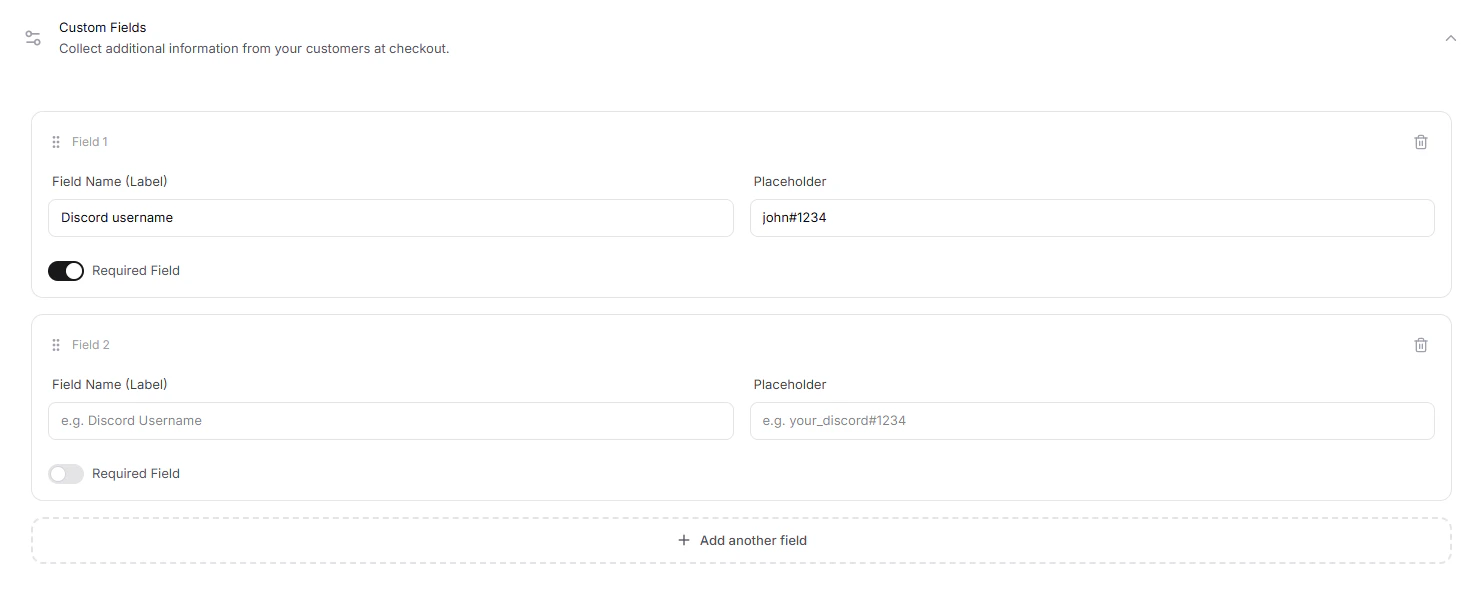
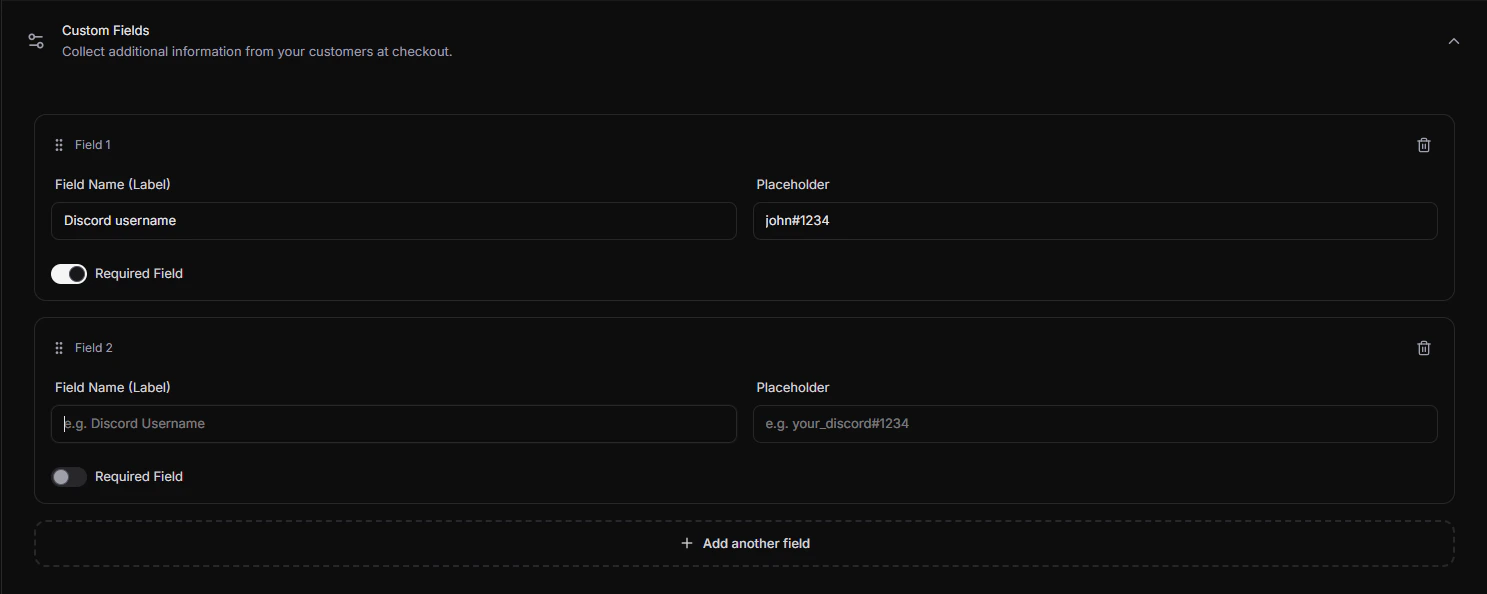
- Name: The user-facing label displayed above the input field (e.g.
Discord Username). - Required: Toggle whether the customer must complete this field before submitting the checkout form.
- Field Type: The input format. The system supports
textinputs. - Placeholder: Example text displayed inside the empty field (e.g.
e.g. your_username#1234).
Checkout Experience
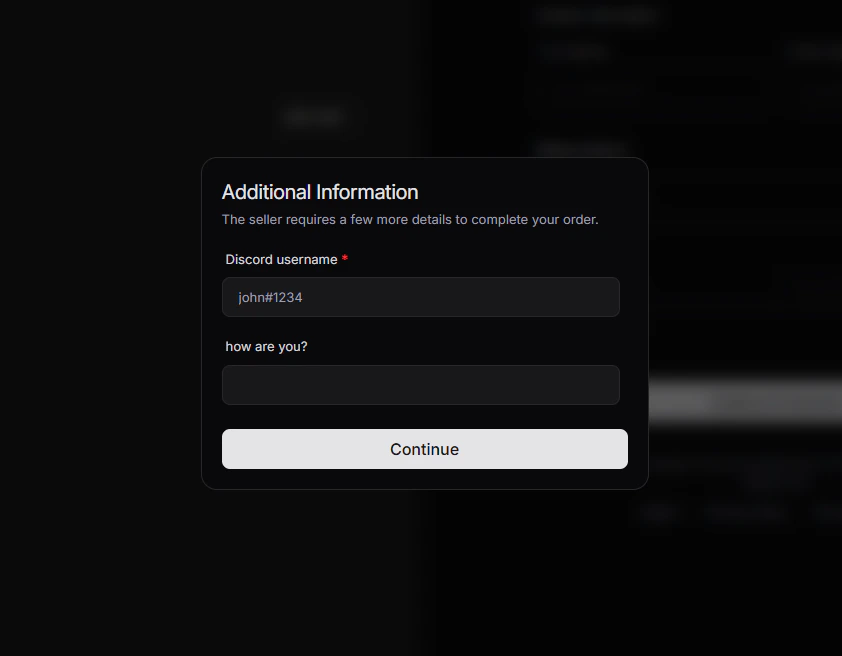
During payment, the checkout form renders these inputs dynamically. If a field is marked as Required, the customer is prevented from completing their checkout until a value is input.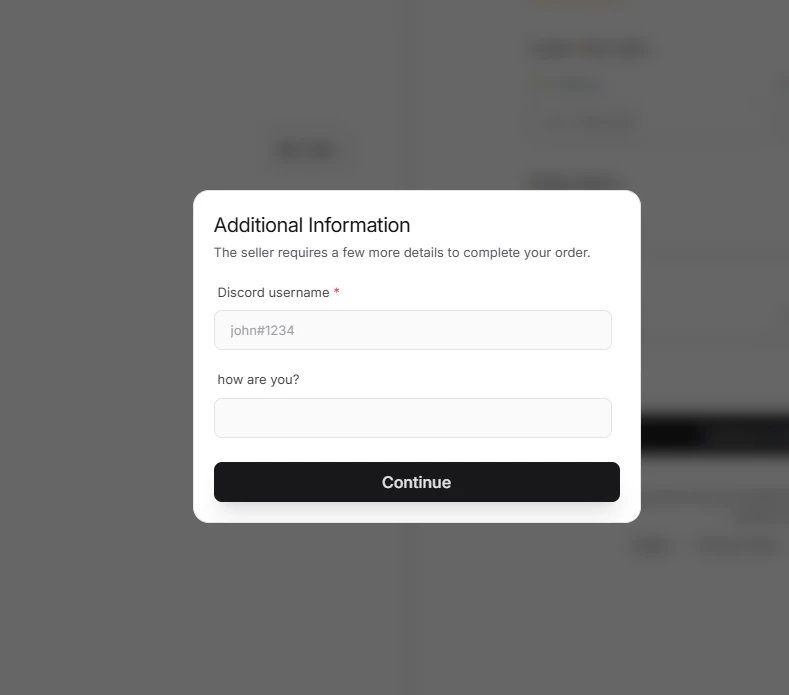
Reading Custom Field Data
Once a purchase succeeds, the input values are stored on the generated Checkout session and propagated to the Payment/Order or Subscription records:- Dashboard: View custom field responses directly on the transaction detail cards.
- API: Access the answers under the
customFieldsobject on Checkout, Order, or Subscription entities.